
The Inactive Employees feature helps administrators identify privileged users who are currently inactive within the system. This makes it easier to review user access, manage permissions efficiently, and keep the user database organized. Administrators can quickly access the list of inactive privileged users from the Privileged User section.
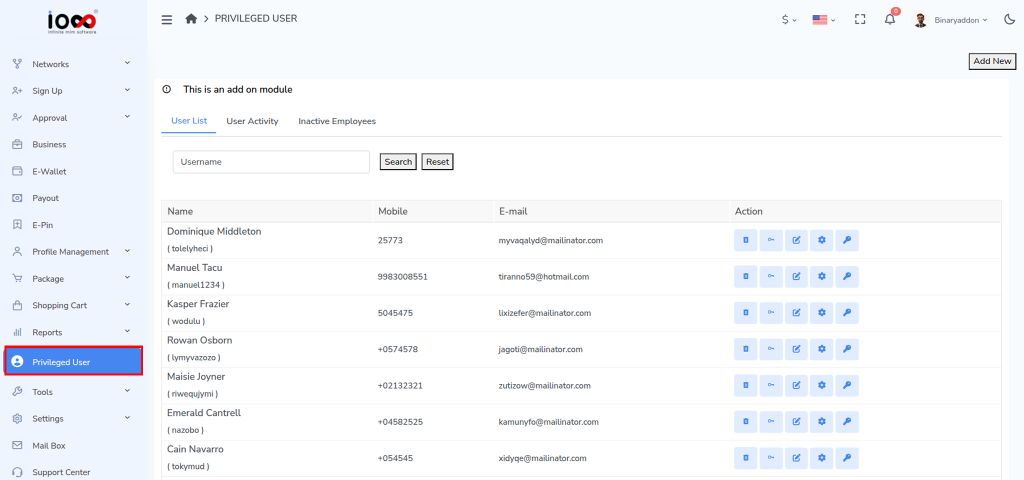
Step 1: Open the Privileged User Section
From the left-side menu of the Admin Panel, click Privileged User to access the Privileged User Management page.
Step 2: Navigate to Inactive Employees
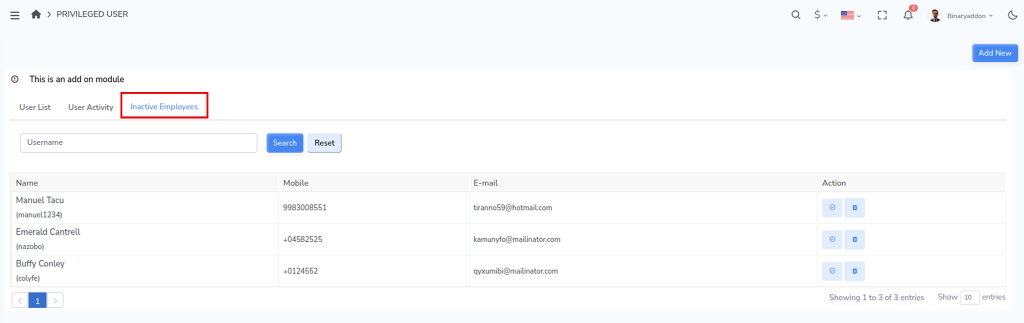
Within the Privileged User section, locate and click the Inactive Employees tab.
The system will display a list of privileged users who are currently marked as inactive. You can review the available details to identify users who no longer require access or may need to be reactivated.
Note: Regularly reviewing inactive users helps maintain system security, improves user management, and ensures that only active personnel retain access to the system.