MLM back office software

A distributor who expected $480 and sees $412 in her wallet will not wait long for an answer. She wants to know why, and she wants to see the reason on her screen. MLM back office software exists to give her that answer and to give your admin team the proof behind it.

Many pages on this topic list features and stop there. This guide starts with who uses each screen and what breaks when a feature is missing. It also gives you a vendor checklist, a worked binary payout, two client stories and a demo test plan.

Definition

What MLM back office software is and is not

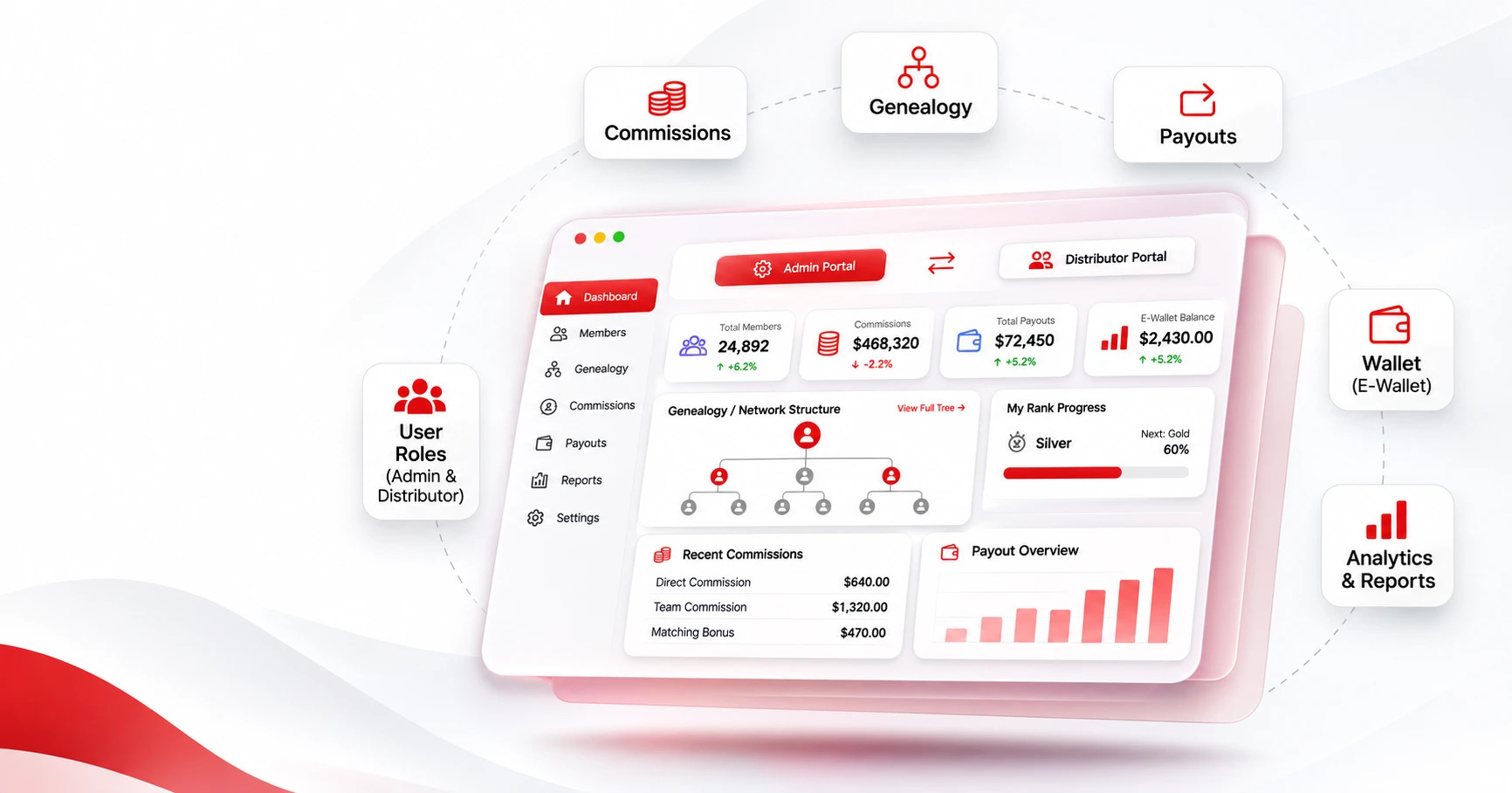
Think of it as two connected portals on one database, both part of your MLM software. The admin panel is where your team sets up the compensation plan, runs commissions and approves payouts. Distributors use the portal, also called the online office, to check earnings, rank progress and their downline.

It is not a general CRM. A CRM tracks contacts, while a back office calculates pay across levels, ranks and legs. It then shows each result to thousands of people, so accuracy comes before any other feature.

User roles

Who uses the back office and what each group needs

Three groups use it, and each one needs something different.

The three groups who open an MLM back office, and what each one needs most
UserOpens it toNeeds most
DistributorCheck earnings, rank progress and team activityFast, clear numbers, mobile access, payout requests
Team leaderSee which downline members are active or stallingFilterable genealogy, team reports, alerts
Admin or operationsConfigure the plan, run commissions, approve payouts, handle complianceControl, an audit trail, role permissions
A distributor’s trust in the company often comes down to the question “Is my number right?”

The admin side exists so you can answer that quickly and prove it.

Distributor portal

What distributors need from their back office

These are the screens distributors open every day. Weak ones lead to support tickets and inactive accounts. You can see the full list of screens on the features page.

A dashboard that explains the payout

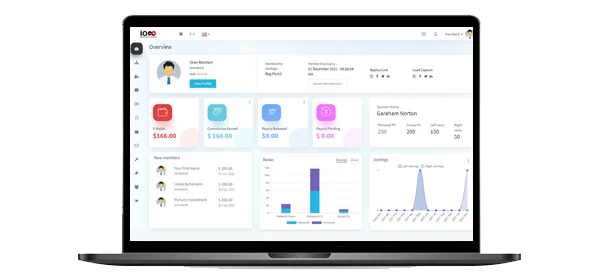
A distributor should see earnings, pending bonuses and rank progress without clicking through five pages. Each figure should trace back to an order or a rule. When a payout looks low, the distributor can see why before writing to support. Rank-progress projections help too, because they show how much volume separates a distributor from the next rank.

A genealogy tree a sponsor can use

The tree shows team structure and who has joined or gone quiet. It needs search and filters, because a tree you can only scroll stops being useful once the team grows. Infinite MLM Software also offers upline and downline listings. A separate list of personally sponsored members lets a sponsor follow up with new recruits. Our guide to the MLM genealogy tree covers tree types in more depth.

An e-wallet that shows where the money is

Distributors want a balance, a transaction history and a simple way to request a payout. Admins want approval steps and an auditable record. Infinite MLM Software pairs its e-wallet with an e-pin system and several withdrawal options, including bank transfer and PayPal. Distributors in several countries also need wallets and statements in their own currency, so check that before you buy.

Replicated websites distributors can set up alone

Replicated websites give each distributor a branded page with a referral link, and lead capture pages turn visitors into prospects. Both only help if distributors can use them without technical skill. Check that the pages carry your logo, colors and domain, as a white-label setup does. A built-in CRM and follow-up tools keep those leads from getting lost.

Training, documents and alerts

A learning management system lets you deliver product training inside the same system. Distributors should also find company policies, income disclosure statements and their own commission and tax statements in one place. Alerts tell them when a rank milestone is close or an account goes inactive.

Many distributors check their numbers on a phone. Treat iOS and Android apps, or at least a fully responsive design, as core features.

Admin panel

What admins need from their back office

The admin panel decides whether your team can answer a disputed payout in minutes or in days.

Plan settings that need no developer

You should be able to set commission rules, ranks, bonus types, capping, spillover and payout schedules without code changes. Infinite MLM Software supports ten compensation plans. They are Binary, Unilevel, Matrix, Board, Monoline, Generation, Stair Step Breakaway, Hybrid, Party and Donation. You can also combine plans into a custom hybrid. If every small change becomes a ticket to a developer, your team slows down as the network grows.

Commission runs your team can review and trace

Ask how a commission run works and how long it takes. Then ask how you would trace one distributor’s number back to its source. A good system also lets staff review a run before it finalizes, because catching an error before payout costs far less than fixing it after. Bulk actions matter as well, since adjusting ranks for hundreds of distributors one at a time is not realistic.

Audit visibility matters most when a distributor disputes a payout or a regulator asks for records. The Infinite MLM Software admin panel logs user activity. It also records failed transactions so an admin can recover or refund them.

How payouts, tax and compliance work for US distributors

For US distributors, check ACH, PayPal, Stripe and Authorize.Net payouts, minimum thresholds and approval workflows. Infinite MLM Software calculates US sales tax on orders and supports year-end 1099 reporting. It also provides audit trails, consent tracking and data access controls to help with FTC and GDPR requirements. Ask any vendor which other privacy rules, such as CCPA, it supports.


Who should see what inside the system

Look for multi-factor authentication, encryption and role-based access, so a support agent cannot see what only finance should see. The vendor states ISO 27001 certification and SOC 2 Type II audits. It says it follows GDPR, OWASP and PCI DSS standards. Ask for the certificates, because a claim on a website is not the same as an audit report.

Reports your team will use every week

Check that reports cover commissions, team performance, orders and payouts, and that you can export them. Ask whether reports can run on a schedule, so finance does not pull the same file by hand each month.

Vendor checklist

Questions to ask any MLM back office software vendor

Use this table to compare vendors. The right-hand column shows how Infinite MLM Software answers each point, based on its own site. Ask every vendor the same questions, and confirm each answer in a live demo. For a wider market view first, see our list of MLM software companies.

Twelve checks to run with any vendor, and how Infinite MLM Software answers them
What to checkWhy it mattersHow it is answered here
Compensation plans supportedA back office that cannot run your plan cannot pay people correctlyBinary, Unilevel, Matrix, Board, Monoline, Generation, Stair Step Breakaway, Hybrid, Party and Donation, with configurable ranks, capping, spillover and payouts
Network sizeGenealogy and commission runs slow down in larger networksOffers a demo with 1 million users and states experience migrating networks of millions of users, as in this 10 million user case study
PayoutsDistributors judge the company by how payouts workE-wallet, e-pins, automated payouts, ACH, PayPal, Stripe, Authorize.Net, Razorpay and crypto
Tax and complianceMissing records create problems at tax timeUS sales tax, year-end 1099 reporting, audit trails, consent tracking
SecurityA breach damages trust in the whole networkISO 27001, SOC 2 Type II, MFA, encryption and role-based access
Mobile accessMany distributors check earnings on a phoneiOS and Android apps plus a responsive design
IntegrationsOrders, payments and leads must stay in syncShopify, WooCommerce, OpenCart, BigCommerce, Odoo, HubSpot, Salesforce, Zoho, Mailchimp and SendGrid
Languages, currencies and reportsGlobal teams need local currency and exportsConfirm in the demo, since this guide does not cover them for this vendor
Setup timeA launch date drives your marketing planBasic setup within 48 hours, with customized setups taking longer after requirements review
MigrationMoving from an old system is the riskiest stepMigration service covering distributors, genealogy, wallets and commission history
Cost modelIt affects total cost over several yearsOne-time license with lifetime access, with hosting and customization priced separately
SupportProblems happen during live payout runs24/7 chat, email and phone support

Demo testing

How to test MLM back office software in a demo

A vendor demo with sample data shows you the interface, not whether the software calculates your plan correctly. These nine checks give you a better view.

  1. 1

    Your own bonus first

    Your own bonus, not a preset, should be the first thing the vendor configures.

  2. 2

    Run a test cycle

    A test cycle comes next: enroll a few distributors, place orders, run commissions and check totals by hand.

  3. 3

    Trace one bonus to its source

    Pick one distributor’s bonus and ask the admin to show which orders and rules produced it.

  4. 4

    Test the edge cases

    Edge cases reveal the most, so test capping, inactive members and a distributor who changes sponsor.

  5. 5

    Compare both screens

    Both screens should show identical figures when you log in as a distributor and as an admin.

  6. 6

    Follow a payout end to end

    Follow a payout request from submission through approval to the wallet record.

  7. 7

    Open it on a real phone

    A real phone should open the dashboard, genealogy tree and wallet without trouble.

  8. 8

    Ask about ten times the load

    Ask what happens to load times and commission runs when your network grows tenfold.

  9. 9

    Hand it to a non-technical user

    A non-technical team member should be able to adjust one rank and review a pending commission run alone.

Infinite MLM Software offers a preset demo with sample data, a custom demo configured for your plan, and separate admin and user demos. It also has demo views for binary matching bonus, ceiling and capping settings, and spillover.

Worked example

How a back office handles a binary plan payout

A binary plan pays on the weaker leg, so the back office must handle placement, carry-forward volume and caps. Here is the example from the Infinite MLM Software binary MLM software page. Say the left leg has 700 points and the right has 1,200. That pays 10% of the lower volume, or 70 points. The remaining 500 points on the right leg carry forward to the next cycle.

700 points of volume on the left leg
1,200 points of volume on the right leg
10%
of the lower leg volume is paid
Bonus paid 70 points paid on the weaker leg
500 points carried forward to the next cycle

Now suppose a distributor asks why they received 70 and not 120. When the back office shows both leg volumes, the carry-forward and any cap, the distributor can answer that alone. With only a total, support must investigate each case by hand. You can test your own numbers, including a capped example, in the free binary MLM calculator or the wider MLM plan calculator.

Client stories

What two clients did with their back office

Each story below is about operations, not just launching a plan.

The first is Ayush Natura Wellness, an Ayurvedic health and wellness company in Kerala, India. The company already had an established distributor network. It needed a new binary platform without interrupting daily business. According to the case study, Infinite MLM Software moved the whole member base with networks and wallets intact. It also launched a second product line with monthly profit sharing and automated daily and monthly payouts.

Smarts.GI runs crypto staking and automated trading. This community needed a platform that could carry its existing network and run daily-trading stakes with 20-level team income. The case study states the platform migrated the full community in a single session. Membership then grew past 5,800, and daily returns, team income and crypto payouts ran automatically.

Growth 5,800+ Up after migration members in the Smarts.GI community
1 session in which the full community was migrated
20 levels of team income on daily-trading stakes

Each client ran a different plan in a different industry, so compare their situations with your own. You can read the full list on the case studies page.

Migration and automated payouts are where a back office either works or breaks.

Integrations

Which store, payment and CRM tools should connect

Your back office should connect to the systems you already run. For most companies, that means an online store, payment gateways and a CRM.

Online store

Infinite MLM Software offers native integrations with Shopify, WooCommerce, OpenCart and BigCommerce. They sync orders, inventory and commissions in real time. Its Shopify integration also syncs product details and calculates commissions from your plan rules. The e-commerce integration page covers the store side in more detail.

Payments

For payments, it supports PayPal, Stripe, Razorpay, Authorize.Net and cryptocurrency.

CRM and marketing

CRM options include HubSpot, Salesforce and Zoho, and Odoo, Mailchimp and SendGrid are also listed.

Some vendors also connect to accounting and inventory tools, so ask about those if finance needs them. Before you buy, confirm that each integration you need works with your plan type and region. Our guide to MLM software integration explains how to plan it.

Cost model

Should you buy a one-time license or a subscription?

Cost model affects total spend more than any single feature. Subscription platforms charge monthly for as long as you operate. With a one-time license, you pay once and cover hosting, customization and support separately.

Over several years, a one-time license often costs less. A subscription can still make sense when you want the vendor to host everything. Compare total cost over three to five years rather than the first invoice.

Infinite MLM Software sells a one-time license with lifetime access and flexible installment options. Its pricing page shows the Basic plan and lets you request a price for your own plan and add-ons.

Migration

How to move your network from an old system

If you already run a system, the migration service moves user profiles, KYC documents, wallet balances, genealogy, ranks and bonus settings. A staging server lets you test everything before go-live. Timelines vary, so plan a testing period with real data before you announce a launch date. The MLM data migration best practices guide walks through the steps, and one 2 million user genealogy migration shows a large case.

Platform fit

Where Infinite MLM Software fits

Infinite MLM Software is built for companies that want one platform covering plans, commissions, wallets, replicated sites, CRM, mobile apps and integrations.

200+

features in the platform

3,000+

clients served

100+

countries

17+

years in the industry

A Basic setup can go live within 48 hours. Customized setups take longer depending on your plan and integrations.

It may not suit you if you only want a simple referral tracker. A fully hosted subscription would also be a better match if you prefer that model.

Summary

The short version

Good MLM back office software keeps two groups confident: distributors who need to trust their numbers and admins who need to prove them. Judge any system by how well it serves both. Then run the demo checklist above with your own plan rules before you commit.

Try the checklist on a live demo

If you are comparing options, try the checklist on a live demo.

FAQ

Frequently asked questions

What is MLM back office software?

It is the system where an MLM company manages distributors, genealogy, commissions, wallets and payouts. Distributors use it to check earnings and team activity. It runs on your compensation plan.

What is the difference between an admin back office and a distributor back office?

The admin side configures rules, runs commissions, approves payouts and handles compliance. The distributor side shows personal earnings, team, orders and payout requests. Both should draw on the same data.

What features should MLM back office software have?

At minimum, look for a dashboard, genealogy tree, e-wallet and payout management, commission calculation for your plan, reports, role-based access and mobile access. Replicated websites, CRM, training and integrations are common additions.

How do I test MLM back office software before buying?

Use a demo configured with your own plan rules and run a test payout cycle. Trace one commission back to its source, and check both the admin and distributor views on a phone.

Is MLM back office software secure?

Look for multi-factor authentication, encryption and role-based access. Ask for audit reports rather than relying on website claims. Infinite MLM Software states ISO 27001 certification and SOC 2 Type II audits.

Can it handle multiple currencies and languages?

It should if your distributors live in several countries. Check that wallets, statements and the distributor portal support each currency and language you need. Confirm both in a live demo with your own target regions.

Will it keep up as my network grows?

Ask how load times and commission runs behave at ten times your current size. Infinite MLM Software offers a demo with 1 million users. It also states experience migrating networks of millions of users.

What reports should I expect?

Expect reports on commissions, team performance, orders and payouts, with export options. Ask whether reports can run on a schedule.

Can a back office handle US payouts and tax reporting?

It can if it supports your payout methods and reporting. Infinite MLM Software supports ACH, PayPal, Stripe and Authorize.Net, US sales tax calculation and year-end 1099 reporting. Your finance and legal teams should still review your setup.

Is a one-time license cheaper than a subscription?

Over several years, often yes, because you pay once rather than monthly. You still pay for hosting, support and any customization. Compare total cost over three to five years rather than the first invoice.

Can I move my existing MLM business to a new back office?

Yes. A migration service should transfer distributors, genealogy, wallet balances and commission history, and test them on a staging server first.

How long does it take to launch?

It depends on your plan and customization. Infinite MLM Software states that a Basic setup can go live within 48 hours. Customized setups take longer after requirements are reviewed.

Meet The Author
Husna M T
Husna M T

Product Specialist & Research Head

LinkedIn

Husna Majeed is a Product Specialist and Research Head with deep expertise in multilevel marketing software and MLM technology strategy. She leads key initiatives that connect product development and market research, helping organizations understand and manage MLM platforms. Her work spans the full product lifecycle making her a trusted voice in the MLM technology space. She collaborates closely with development, marketing, and business teams to ensure that product solutions align with both technological capabilities and real-world MLM business needs. Husna regularly contributes thought leadership on emerging trends in direct selling software, network growth strategies and the evolving regulatory and operational challenges facing MLM enterprises today.

Infinite MLM Software 1M-user network demo

Checkout Our 1M-User Network Demo!

Boost profits 10x times with Infinite MLM Software.


Looking for an MLM software?

Looking for a certified, enterprise-ready platform with advanced features for your MLM business? Infinite MLM Software might just be the thing for you.

Connect with Us
Infinite MLM Software dashboard