
Repurchase packages play a key role in maintaining product flow and repeat sales within your MLM system. Keeping these packages updated ensures accurate pricing, product details, and a smooth user experience for distributors and customers. The MLM software makes it easy to modify existing repurchase packages with just a few steps.
Step 1: Access the Package Section
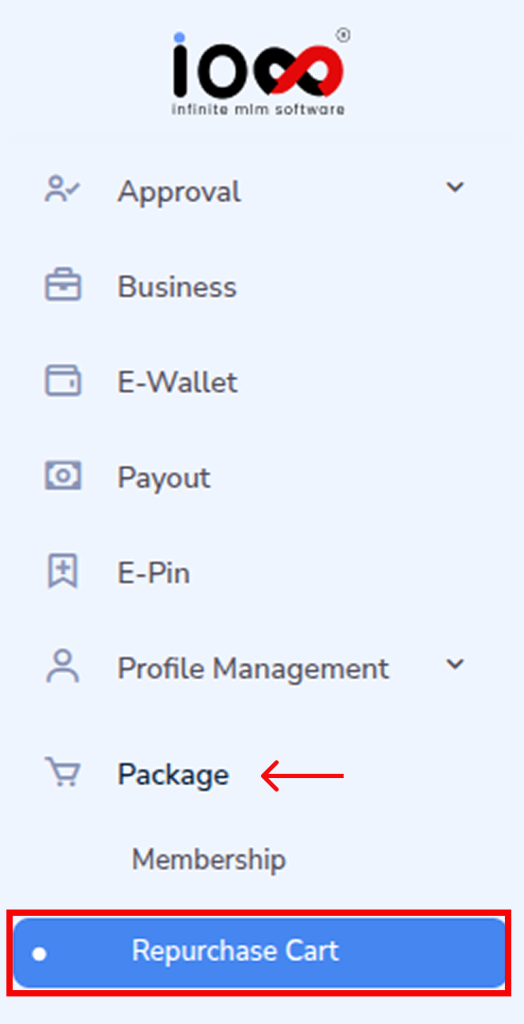
From the main menu bar, navigate to the “Package” section. This is where all product and cart-related configurations are managed.
Step 2: Open Repurchase Cart
In the dropdown menu, click on “Repurchase Cart.” This will take you to the dedicated interface where repurchase settings and categories are handled.
Step 3: Go to Manage Package
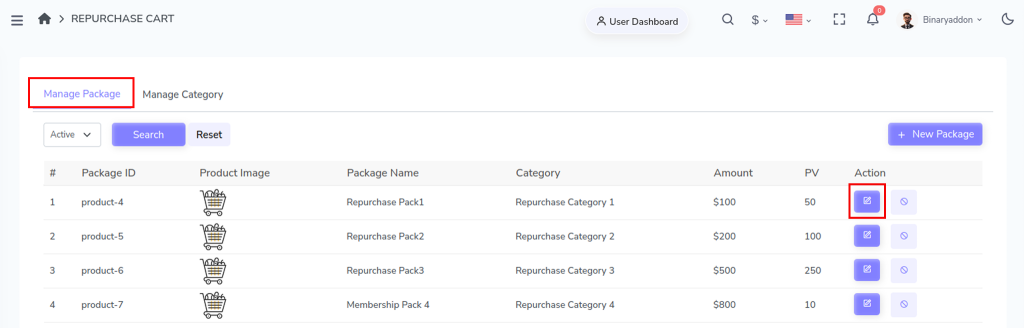
Within the Repurchase Cart section, select Manage Package. Here, you will find the complete list of existing repurchase packages.
Step 4: Select the Package to Edit
In the package list, look under the Action column. Click on the Edit icon corresponding to the package you want to modify.
Step 5: Update Package Details
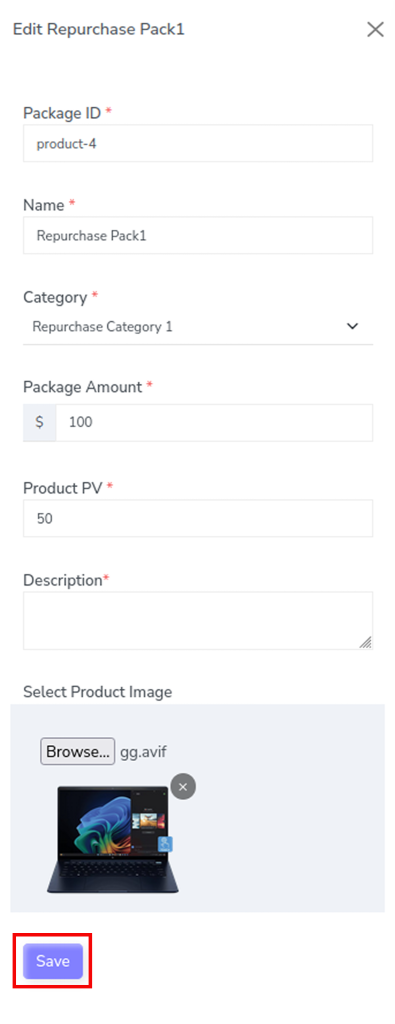
Once you click the edit option, a pop-up window will appear.
Here, you can update the required details such as:
- Package ID & name
- Purchase category
- Package amount and PV
- Product details in description
- Product image
Make the necessary changes based on your requirements.
Step 6: Save the Changes
After editing the details, click on the Save button. Your updates will be applied, and the package information will be updated in the system.