
The Add Membership Package section allows administrators to create new membership plans by defining package value, commission configurations, validity period, and ROI settings. Follow the steps below to configure a new package.
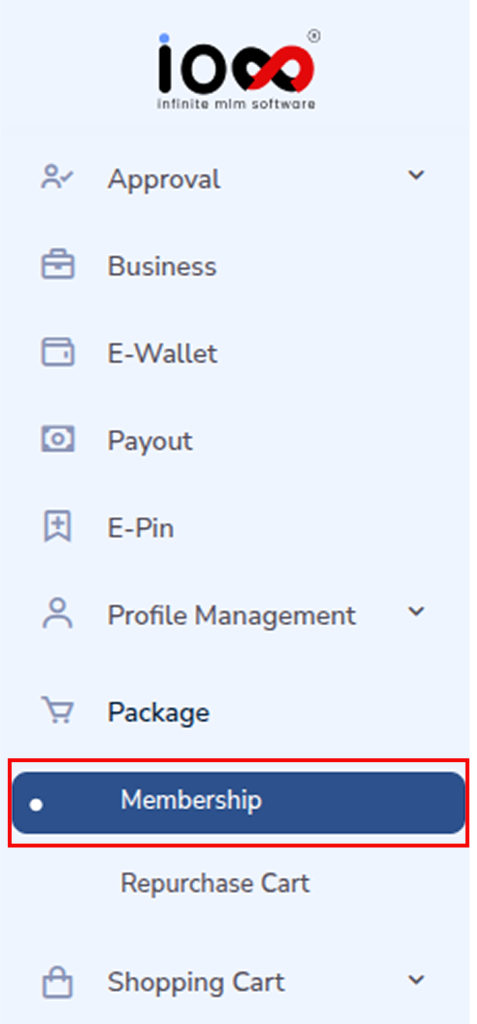
Step 1: Go to the Package Section
Navigate to the Package section in the admin panel and select Membership.
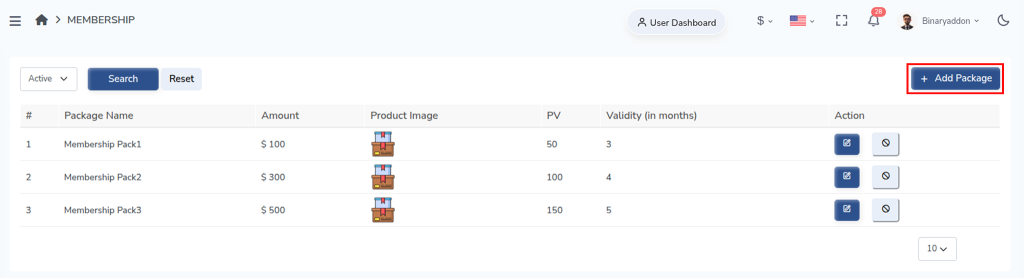
Step 2: Open the Add Membership Package Window
Then click the Add Package button located at the top right corner. The Add Membership Package configuration window will then appear.
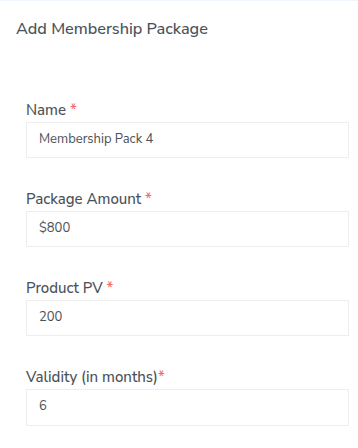
Step 3: Enter Basic Package Details
Name
Enter the name of the membership package. This helps identify the package in the system and for users.
Package Amount
Specify the total price of the membership package.
Product PV
Enter the Product Point Value (PV) associated with the package. PV is used to calculate commissions and bonuses within the network.
Validity (in months)
Define how long the package will remain active. Once this duration expires, the membership may require renewal.
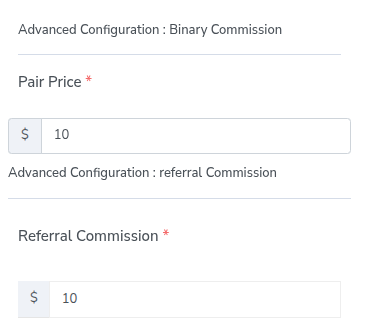
Step 4: Configure Binary Commission
Under Advanced Configuration; Binary Commission, define the following:
Pair Price
Enter the commission amount that will be paid when a valid binary pair is formed in the network structure.
Step 5: Configure Referral Commission
Then set Referral Commission; the commission amount that will be rewarded to a sponsor when they successfully refer a new member who purchases this package.
Step 6: Configure ROI Commission
Configure the return on investment settings.
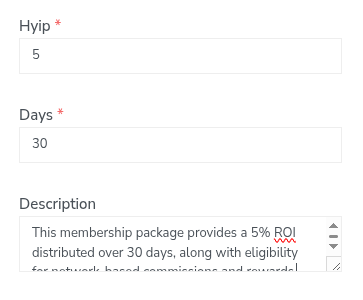
HYIP
Enter the ROI percentage or value to be distributed to the user.
Days
Specify the number of days for which the ROI will be distributed.
Description
Provide a brief description of the package. This can include package benefits, features, or eligibility conditions.
Step 8: Upload Product Image
Select Product Image
Click Choose File to upload an image representing the membership package. This image will appear in the user interface when displaying available packages.
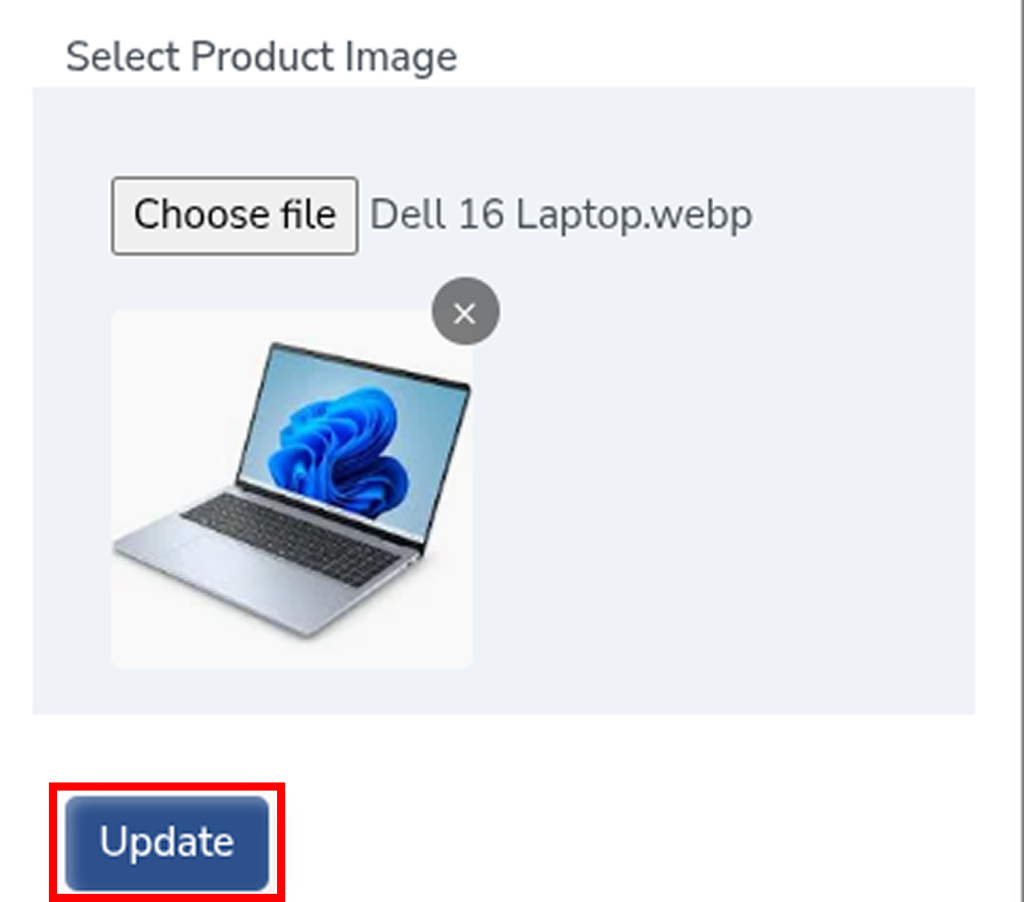
Step 9: Save the Package
After entering all required information, click the Update button to create the membership package. The package will then become available for users within the system.