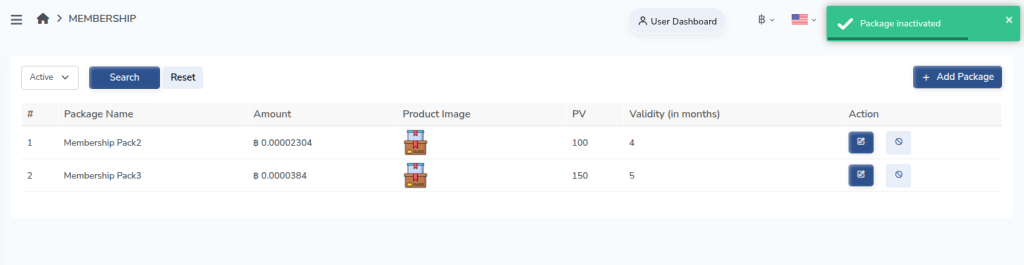
The Deactivate Membership Package option allows administrators to disable an existing membership plan without permanently deleting it. This is useful when a package is no longer available for purchase but needs to remain in the system for record keeping or reporting purposes. Once deactivated, users will not be able to select or purchase the package, while existing members associated with the package will remain unaffected.
Follow the steps below to deactivate a membership package:
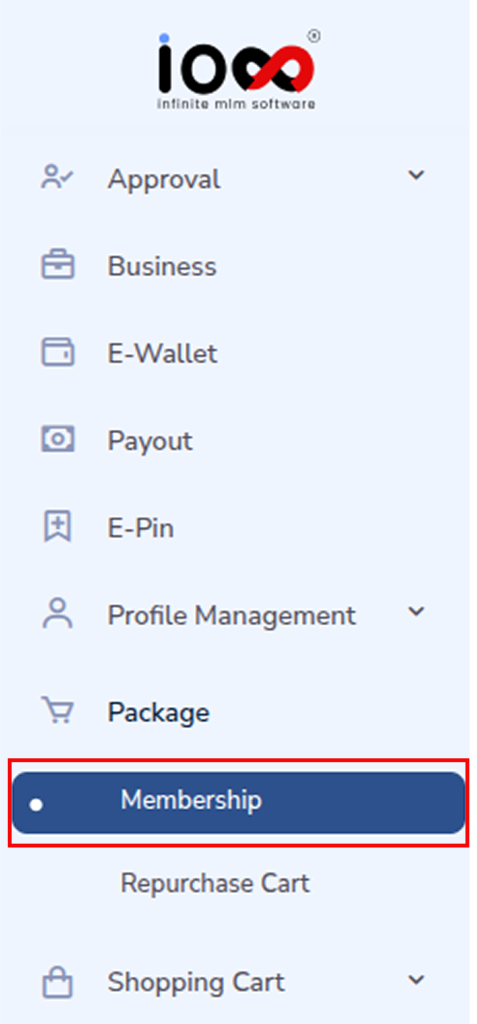
Step 1: Go to the Package Section
Navigate to the Package section in the admin panel and select Membership.
Step 2: Locate the Membership Package
Find the membership package that you want to deactivate from the list of available packages.
Step 3: Click the Deactivate Icon
Under the Action column corresponding to the selected package, click the Deactivate icon.
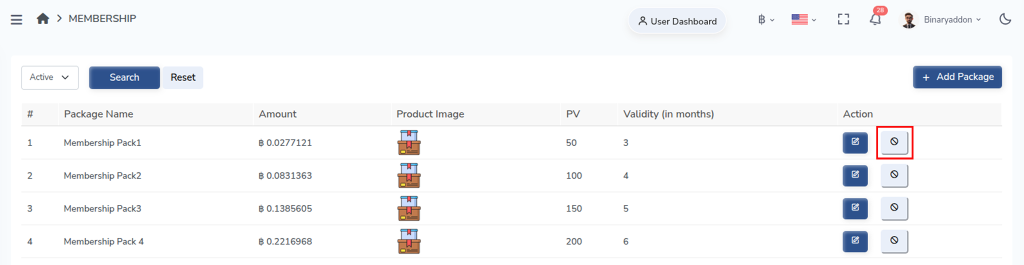
Step 4: Confirm Deactivation
After clicking the icon, confirm the action if prompted. The selected membership package will then be deactivated and will no longer be available for new registrations or purchases.