
The E-Wallet Statement provides a detailed record of all wallet transactions performed by a user. It helps administrators review transaction history, verify wallet activities, and track balance changes over a specific period.
Purpose
Use the E-Wallet Statement page to:
- Review wallet transaction history
- Verify credits and debits
- Audit user wallet activities
- Reconcile financial records
- Investigate specific transactions
Information Displayed
The E-Wallet Statement displays:
- Description of the transaction
- Transaction amount
- Wallet balance after the transaction
- Transaction date
Steps to View an E-Wallet Statement
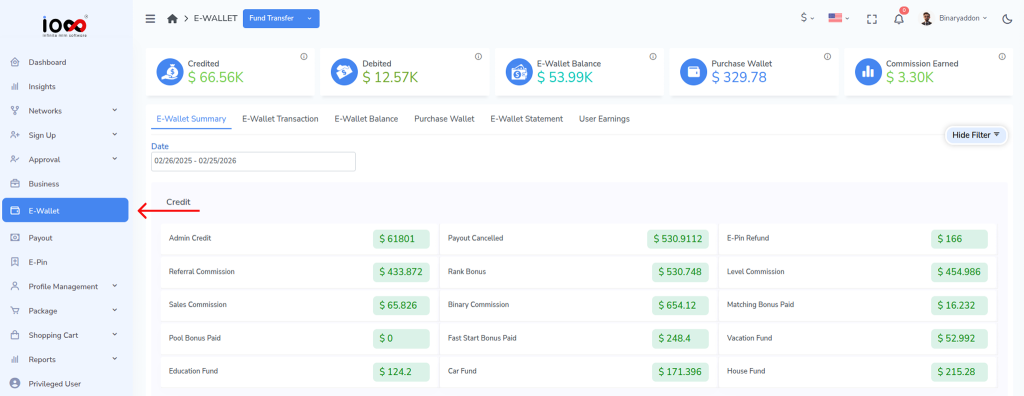
Step 1: Open the E-Wallet Module
From the left-side navigation menu, click E-Wallet to access all wallet-related functions and reports.
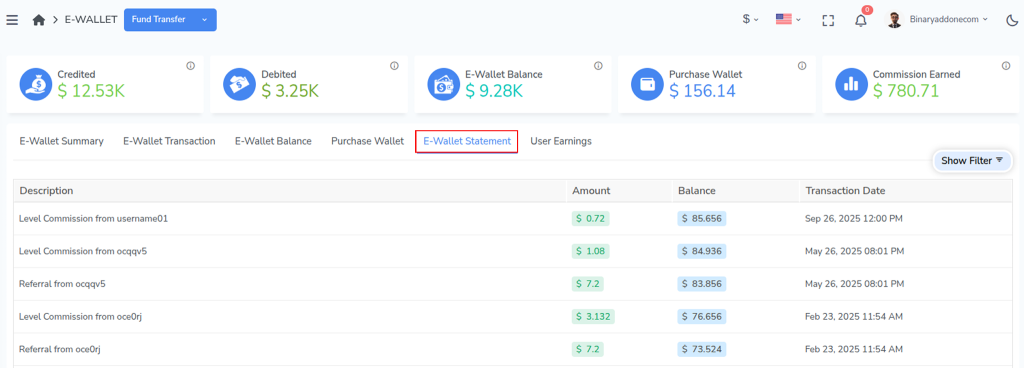
Step 2: Open the E-Wallet Statement Tab
Click the E-Wallet Statement tab. This section contains the complete transaction history of users’ wallets and allows you to generate detailed wallet statements.
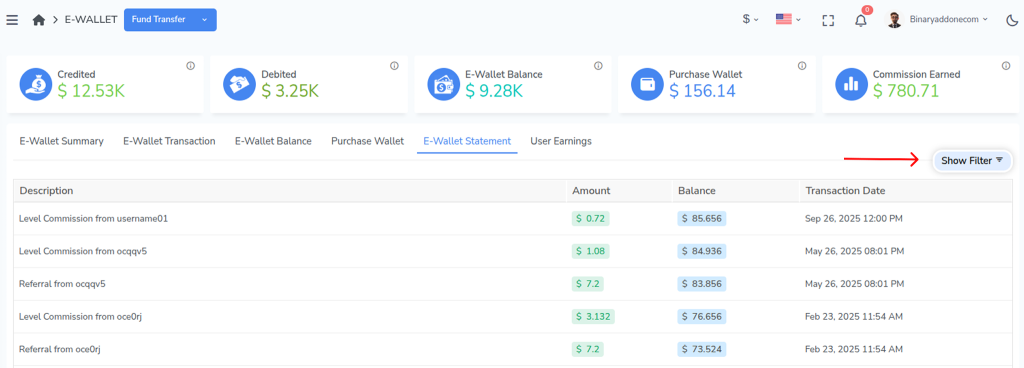
Step 3: Open the Filter Options
Click Show Filter to display the search panel. The filter helps you locate wallet statements for a specific user quickly and accurately.
Step 4: Enter the Username
In the Username field, enter or select the username of the user whose wallet statement you want to view. Ensure that the correct username is selected to retrieve the appropriate transaction records.
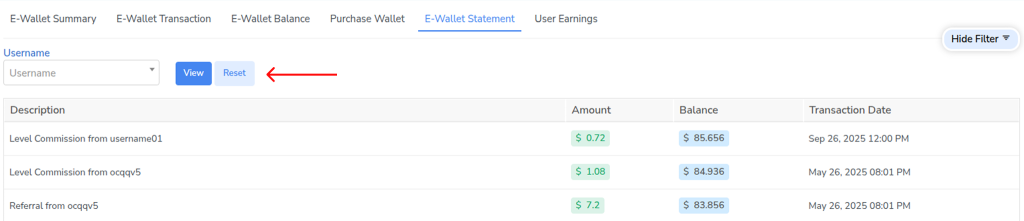
Step 5: Generate the Statement
Click View to retrieve the wallet statement.
The system will process your request and display all transactions associated with the selected user’s wallet.
Review the displayed transaction records. Each entry includes the transaction description, transaction amount, available wallet balance after the transaction, and the date on which the transaction occurred. This information can be used to verify wallet activities and track account movements.
Result
The E-Wallet Statement provides a complete transaction history for a user, enabling administrators to monitor wallet activities, verify records, and perform financial audits efficiently.