
You can change the system language directly from the dashboard interface by following these steps:
Step 1: Log in to your Infinite MLM dashboard using your credentials.
Step 2: Look for the flag icon located in the top-right corner of the dashboard.
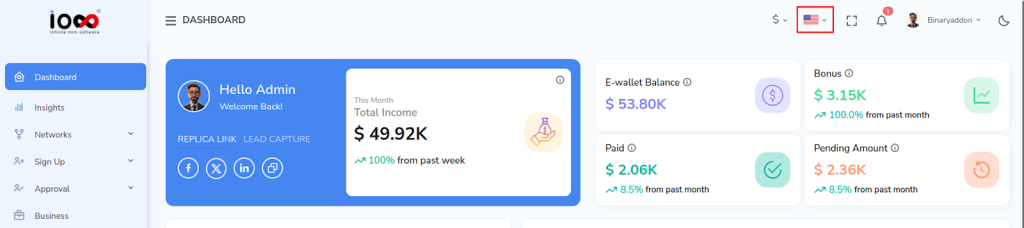
- Step 3: Click on the flag icon to open the list of available languages.
- Step 4: Browse the list and select your preferred language.
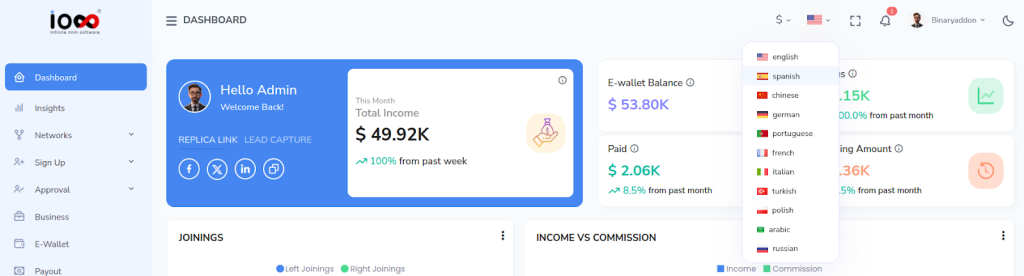
Once selected, the dashboard will automatically update to reflect your chosen language across the system interface.
Once selected, the system interface updates automatically to reflect the chosen language.