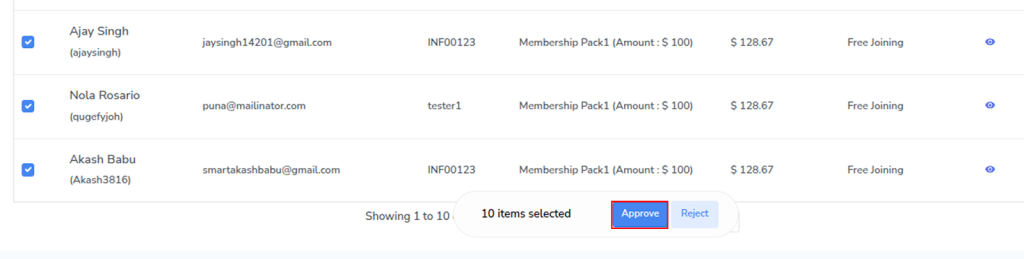
To approve member registrations, follow the steps below:
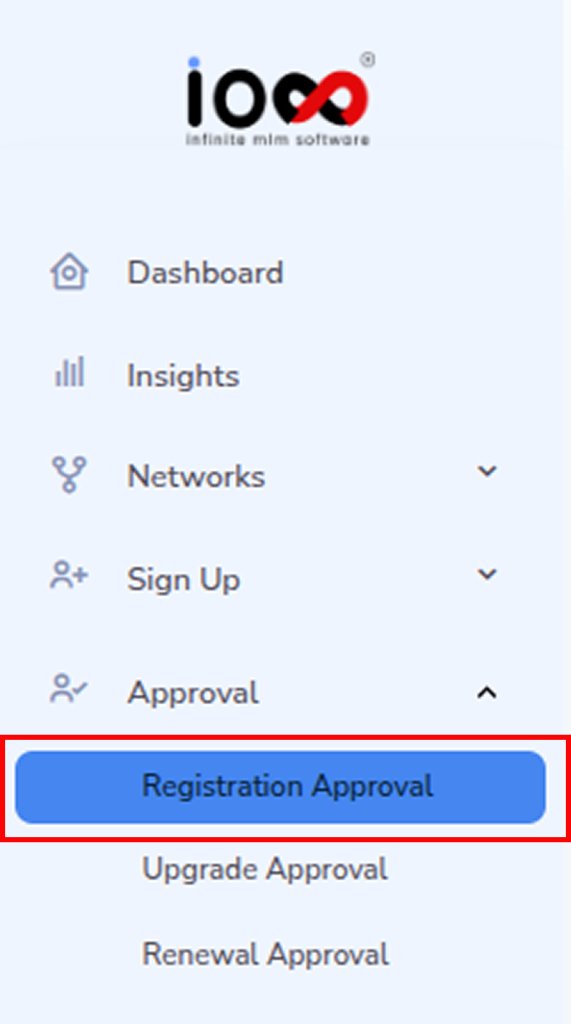
Step 1: Navigate to Registration Approval
- Go to the Approval section from the left-side menu bar.
- Select Registration Approval to access pending requests.
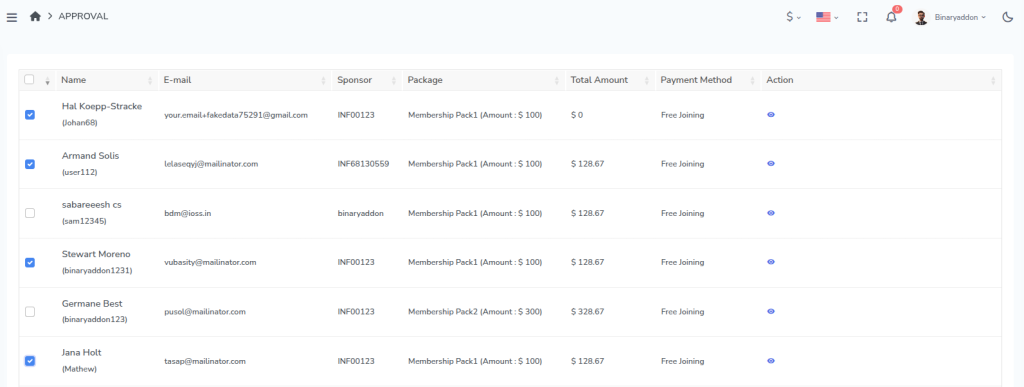
Step 2: View Pending Members
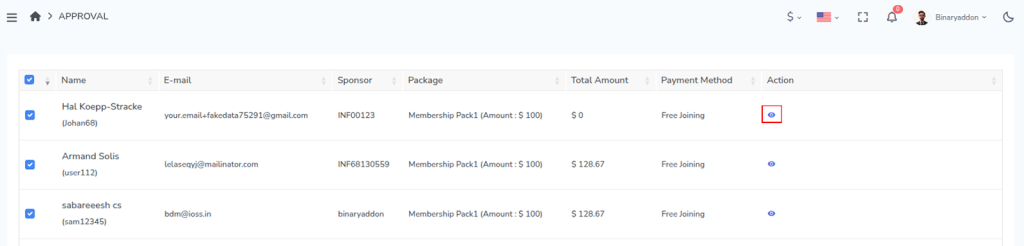
You will see a list of members waiting for approval. From this list, select the members you wish to approve.
- To approve individual members, select them one by one.
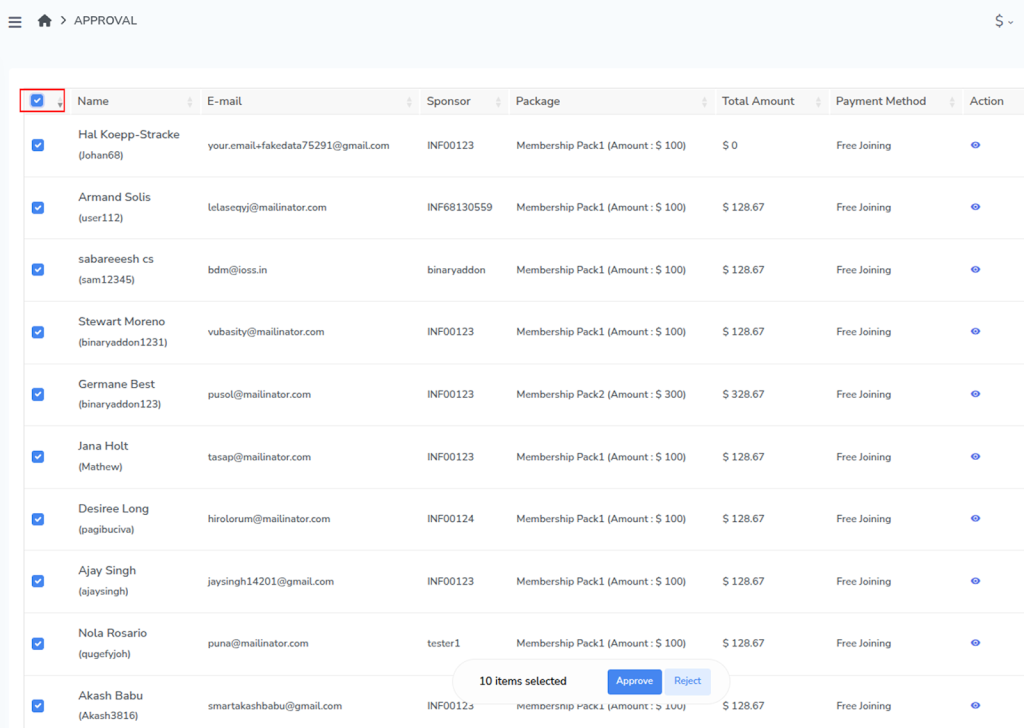
- To approve multiple members at once, use the Select All option located in the left-side table header.
Step 3: Review Member Details
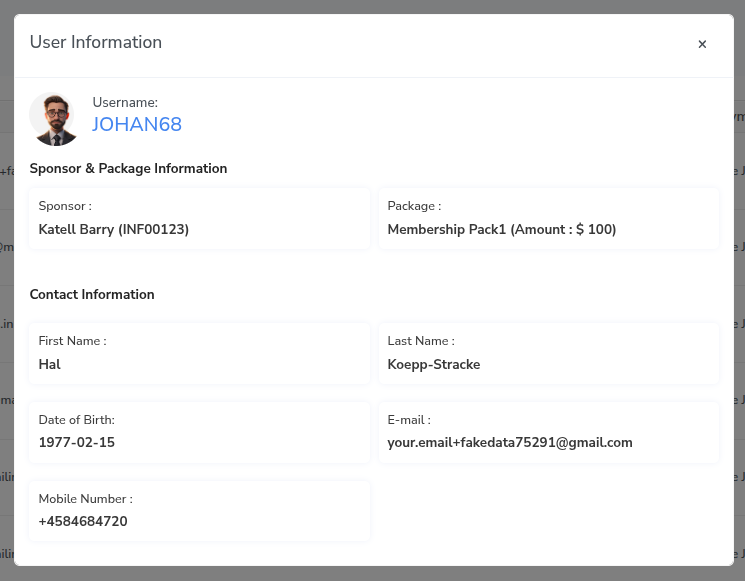
Before approving, you can review the member’s details:
- Click the Action button.
- View the user information and selected package details.
Step 4: Approve or Reject
After reviewing the details:
- Click Approve to complete the registration.
- Click Reject if the registration does not meet the requirements.
Once approved, the member will be successfully registered in the system.