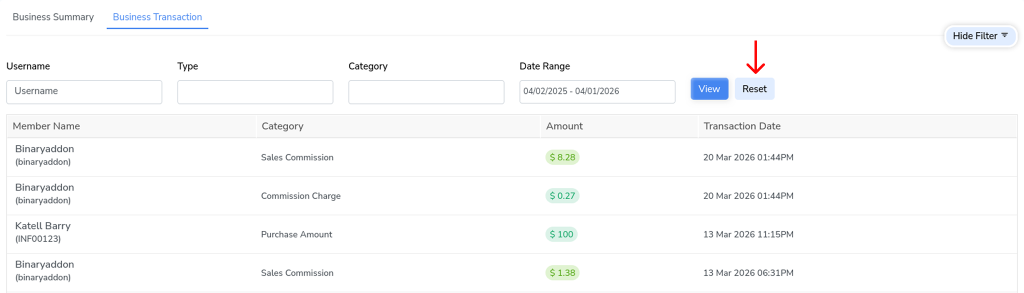
The Business Transaction tab helps you quickly track and manage all member transactions by applying specific filters such as username, transaction type, category, and date range. This makes it easier to review commissions, bonuses, payouts, pending payments, and other transaction records without manually searching through the entire list.
Steps to Filter Business Transactions:
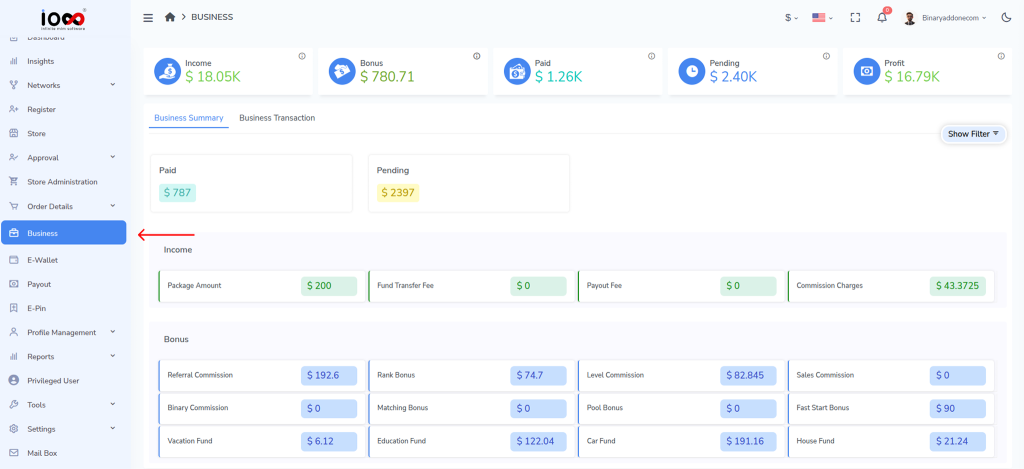
Step 1: Navigate to the left panel and click Business.
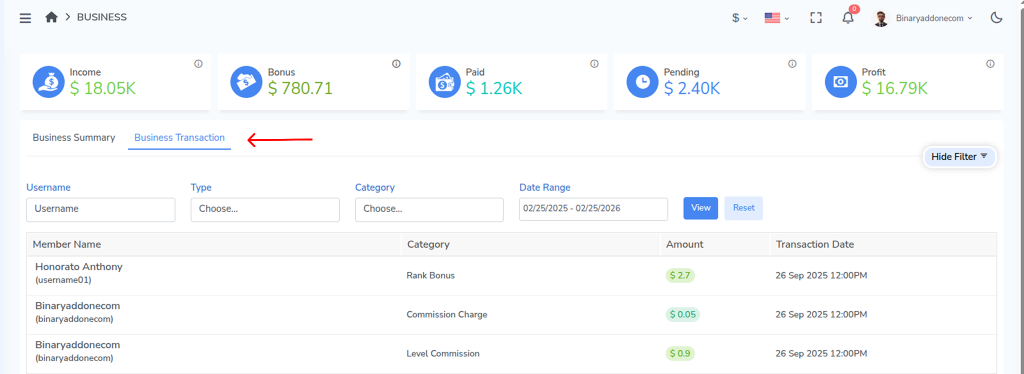
Step 2: Open the Business Transaction tab.
Step 3: Use the available filters as needed:
- Username – Enter the username of the member whose transactions you want to view.
- Type – Select the transaction type from the drop-down list such as:
- Income
- Bonus
- Paid
- Pending
- Category – Choose the transaction category such as commission, bonus, payout request, fees, or other available categories.
- Date Range – Select the period for which you want to view the transactions.
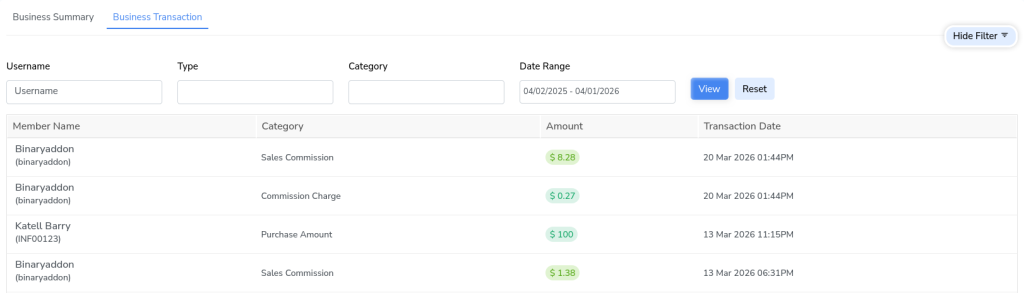
Step 4: After entering the required filter values, click View. The system will display only the transactions that match your selected criteria.
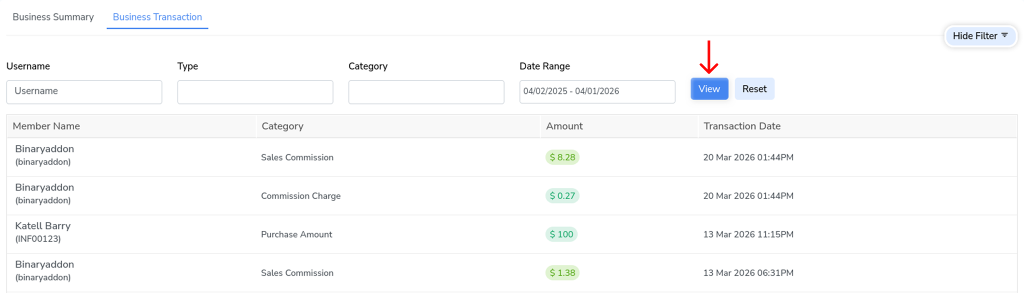
Step 5: To clear all applied filters and return to the default transaction view, click Reset.