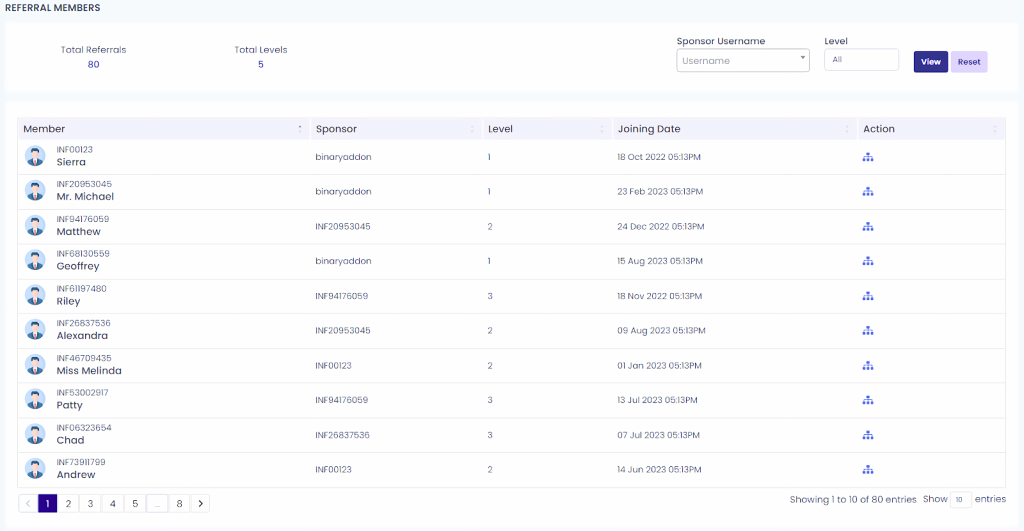
You can easily view members according to their sponsors and check their downline information by following the steps below:
- Go to Referral Members (see the section highlighted in the red square in the screenshot).
- The system displays downline users organized by sponsor and level.
- To check a specific member’s sponsor, locate the user in the list.
- Under the Action column, click the icon highlighted in the red square.
- The sponsor details will appear, along with:
- Total referral downline
- Total level count
- Total referral downline